Make a jason salavon styled image.

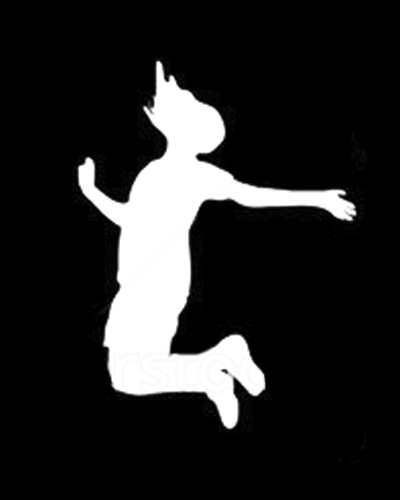
if you haven’t finished the statistics work from class, finish computing the  % of white pixels, bounding box, and centroid position for the jump image


advanced:

make something cool out of the centroid info you can capture from this video of theo: theo.mov,

compute centroid info for it, turn it into an awesome interactive work

hint- this info is in color, so we’ll have to convert it to grayscale first. there are a couple simple ways of doing this that will give you different but similar outputs


advanced advanced:

compute centroid information for input from your webcam, make some cool thing out of it
 

week3 code examples

this is the image we want you to find the centroid and bounding box of.  Also, try to calculate the % of white pixels to total number of pixels.


Non code: 

Create a large pixel image.  the larger the better.  Think about how to use the main space in an interesting way.

Code: 

5 things  (4,5 are advanced, feel free to try them though!)

  1. create a unique and fun drawing tool, where you draw into a pixel array that’s uploaded to a texture.  Try to push the drawing in different ways — not just via the circle but in other ways.   Make something fun.
  2. Load in an image, and as you copy the pixels from that image to another, (see the image loading code) flip the image.  Flip it in the pixel copy, not in the drawing
  3. take a look at the loadInImageAndDrawInterpretation example — make an interesting graphical interpretation of an image — think especially about the limits of perception.  have fun with this.
  4. do min max contrast stretching of the image.  Find the minimum and maximum values of the pixels in an image, and then convert pixels from the source to destination like    ((pixel – min) / (max – min))*255.  take a look at the histogram of both the source and destination.  how do they compare?
  5. do histogram equalization, as described here: http://en.wikipedia.org/wiki/Histogram_equalization

Example files: click here to download

for this homework, we’d like you to:

a) create 5 “pixel” based images via code, preferably using 5 different languages or environments.  For example, you could write php or javascript that rendered elements as pixels (as in the389.com).  Keep it simple, and try to have fun.

b) Read Golan Levin’s excellent essay Computer Vision for Artists and Designers

c) Find your top favorite 5 examples of “software that sees.”  Especially think about aesthetically interesting works.   Provide an image and link for each.    answer the following questions:

– What about it interests you?
– What technology does it use? List both hardware and software.
– How does it work?
– How could it be improved?

(next week we will ask you to do the non grid based image, and large pixel image, which we discussed in class)